
How to Install Jenny Mod on Minecraft Java Edition (PC)
This version is compatible with Forge 1.12.2, so you must install it before loading the mod. If Minecraft crashes or doesn’t recognize the file, that usually means the game is on the wrong version.
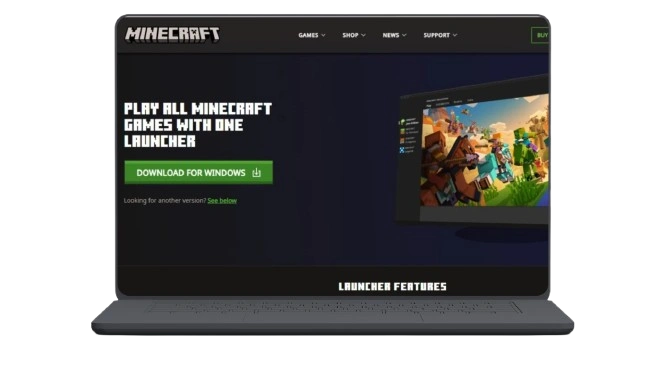
Step 1 — Set Minecraft to Version 1.12.2
This step is essential because the mod was originally built for this specific build of Java Edition.
Step 2 — Install Forge 1.12.2
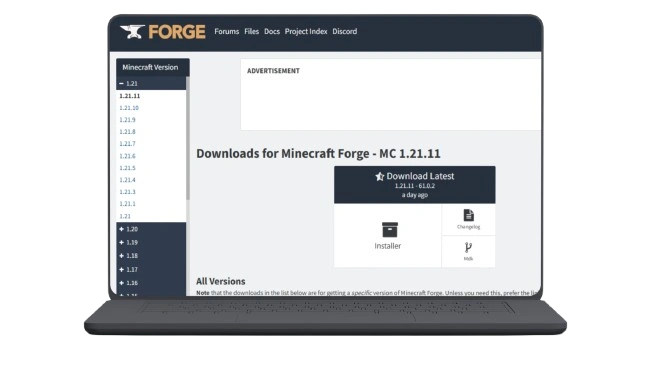
Forge creates the environment needed to load .jar mods.
Step 3 — Open Your Mods Folder
Once done, open the Minecraft Launcher and select the new Forge profile.
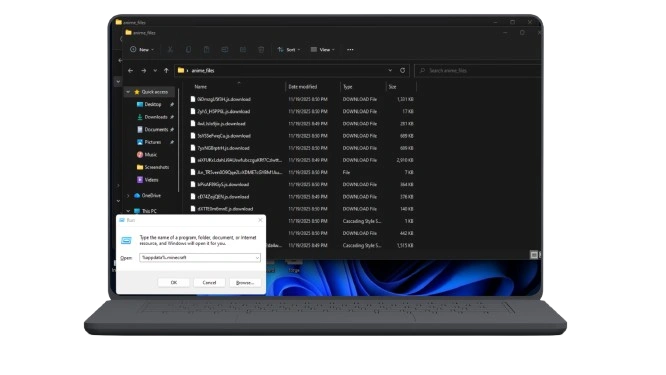
Step 4 — Add the Mod File
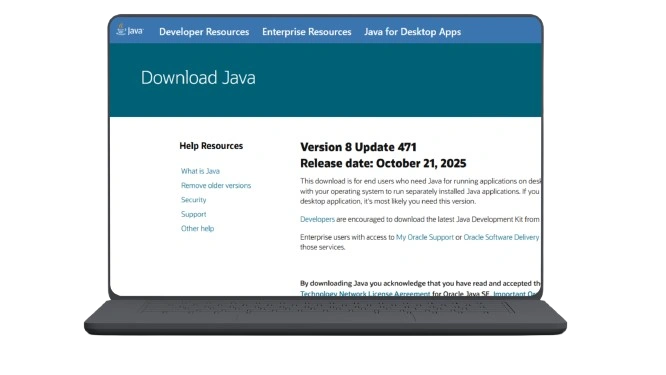
Make sure no other unrelated .jar files are placed in the same folder to avoid loading conflicts.
Step 5 — Launch Minecraft with Forge Enabled
Once the game loads, you can test everything in a Creative world before switching to Survival. Look for the mod entry under the Mods tab to confirm the installation was successful.
How to Install Jenny Mod on Bedrock / MCPE (Android)
The mobile version uses .mcaddon and .mcpack files. Android supports these files directly, while iOS has limited support.
Step 1 — Download the Add-On Package
You will normally receive one of the following formats:
Save the file using your browser’s download manager or a file explorer app.
Step 2 — Import the File into Minecraft
You should see:
If one fails, simply redownload and import again.
Step 3 — Activate the Mod in Your World
These settings ensure the character model and interactions load correctly inside the game.
Step 4 — Start the World and Test the Mod
Enter the world and check the following:
If the mod loads properly, you can begin exploring features or testing interactions.
Is the Mod Supported on iOS?
iOS can open .mcaddon files, but full behavior scripting does not work on Apple devices. Most players will see:
- Models not appearing
- Animations not loading
- Limited functionality
For full support, use Android for Bedrock installation.
Troubleshooting Common Problems
Mod Not Showing in Java Edition
- Check that you installed Forge 1.12.2
- Ensure the .jar file is inside the mods folder
- Launch the game using the Forge profile
Add-On Not Importing on Mobile
- Re-download the file
- Use a file manager to tap the file directly
- Restart Minecraft after import
Crash on Startup
- Wrong Minecraft version
- Conflicting mods
- Low device memory (mobile)
Missing Textures or Invisible Model
- Make sure both the Resource Pack and the Behavior Pack are activated
- Turn on Experimental Features in world settings
Safe Download Tips
To avoid corrupted files or broken scripts: